
Choose Desktop or Server
Choose based on where Stravia runs and who needs to reach its management interface. Desktop is the local app path; Server is the path for a separately hosted instance and its clients.
Before you choose
Decide which computer will run Stravia, where the management interface will be opened, and which client machines need to send inference requests. Requests may send prompt and attachment content to the upstream model service you configure.
Compare the two modes
| Desktop | Server | |
|---|---|---|
| Where it runs | Local Tauri application with an integrated management interface | Standalone service with a browser-based management interface |
| Management sign-in | Native local session; no Server setup-token or Server administrator-password step | First startup requires claiming a one-time setup token and creating the sole administrator |
| Typical fit | One person managing and calling Stravia on the same computer | Local network or self-hosted clients that need an explicitly configured endpoint |
| Data ownership | Local application data | Operator-selected Server data directory and configured database |
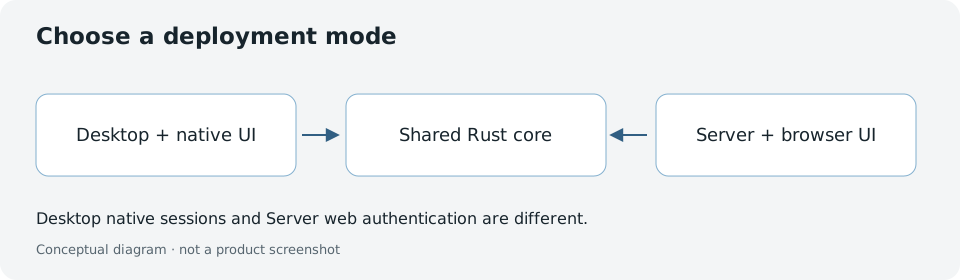
Both modes share Stravia's Rust core, but their sign-in flows are different. Server deployment also adds explicit network, TLS, origin, proxy, storage, and upgrade decisions.
Make the choice
- Choose Desktop if the same computer will run the application, management UI, and most clients. Continue with Install Stravia , then follow the Desktop branch in First setup .
- Choose Server if clients need an independently hosted API endpoint. Continue with Install Stravia and First setup .
- For a deployment exposed beyond loopback, read Deploy before changing the listener or publishing a port.
Verify your path
Desktop opens its integrated management UI under the native local session. A fresh Server instead shows the initial setup state until its database is configured and its administrator is created. Do not treat one flow's instructions as interchangeable with the other.
Troubleshoot a mismatched setup path
If Server instructions ask for a setup token but you started Desktop, switch to the Desktop native-session steps. If a fresh Server opens its initial setup page, finish the database and administrator setup before configuring model access.
Next steps
For the full path from startup through a recorded request, use Quick start .