
Web Search
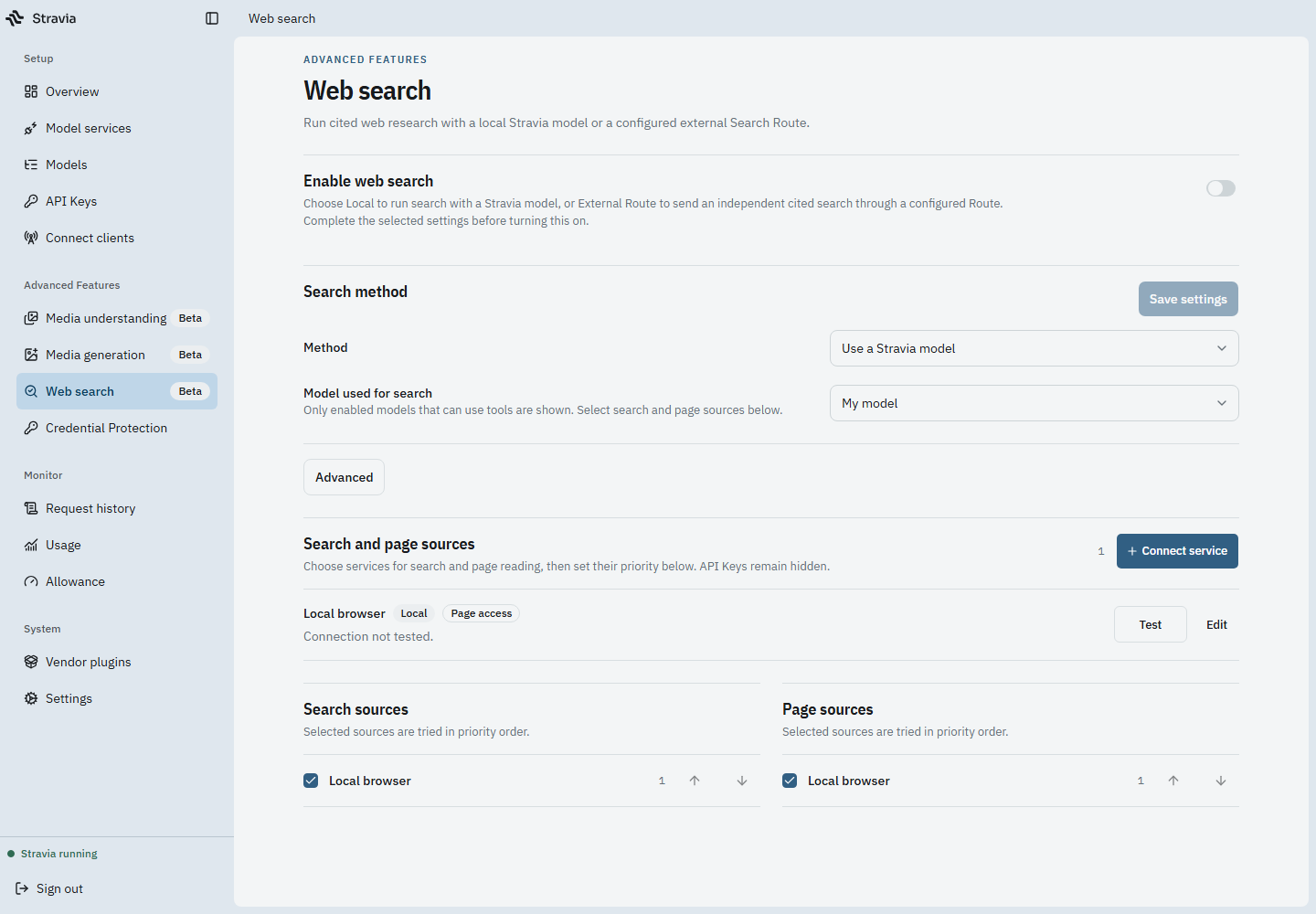
Web Search is an optional platform capability with two different execution paths. A configured local search source, the model that plans the search, and an external search route are not interchangeable settings.
Choose an execution path
- Local agent loop: Stravia runs a bounded search workflow using its configured model and Web Access search/read sources.
- External route: Stravia routes search to a separately configured provider capability. This requires an eligible Vendor integration and route.
The local loop can use sources that do not require a local browser. Chrome or Chromium is needed only when the selected source is browser-backed; Desktop's local browser choice does not mean Stravia downloads one automatically.
Prerequisites
Enable Web Search and ensure the client has an enabled Stravia Model ID with a target that supports the required tool capability. The selected local model or external route must also be configured for the execution path you choose.
Configure and verify
- Open Web Search and review the enabled state and selected execution mode.
- Configure the required model or external route, as appropriate for that mode.
- Configure the Web Access sources needed by the local loop. For a browser-backed source, set a valid Chrome/Chromium executable on the machine running Stravia.
- Save the configuration and test through a supported model request that can use Web Search.
Do not treat the browser executable field as required for every source or every mode.
Troubleshoot an unavailable search
Check whether the platform feature is enabled, which mode is selected, whether the required model/route is usable, and whether each source is configured for that mode. Only investigate a browser path if the selected source actually uses one.
Next steps
For MCP access to platform tools, see MCP . To understand when tools may be exposed to ordinary model requests, review API keys .