
Credential protection
Credential protection detects supported credential-like text and replaces it with a per-key placeholder for eligible requests. It is an opt-in protection mechanism, not a general privacy or data-encryption feature.
Prerequisites
Use an administrator session to enable and review the feature. To test it end to end, create a valid Stravia API Key and a supported text request; do not use a real credential as test data.
Enable and configure the feature
- Open Credential protection and review its current status.
- Enable it only after understanding what is scanned and where restored values may be used.
- Review or configure detection rules using the provided tester.
- Exercise an eligible request and inspect the result without publishing its original credential.
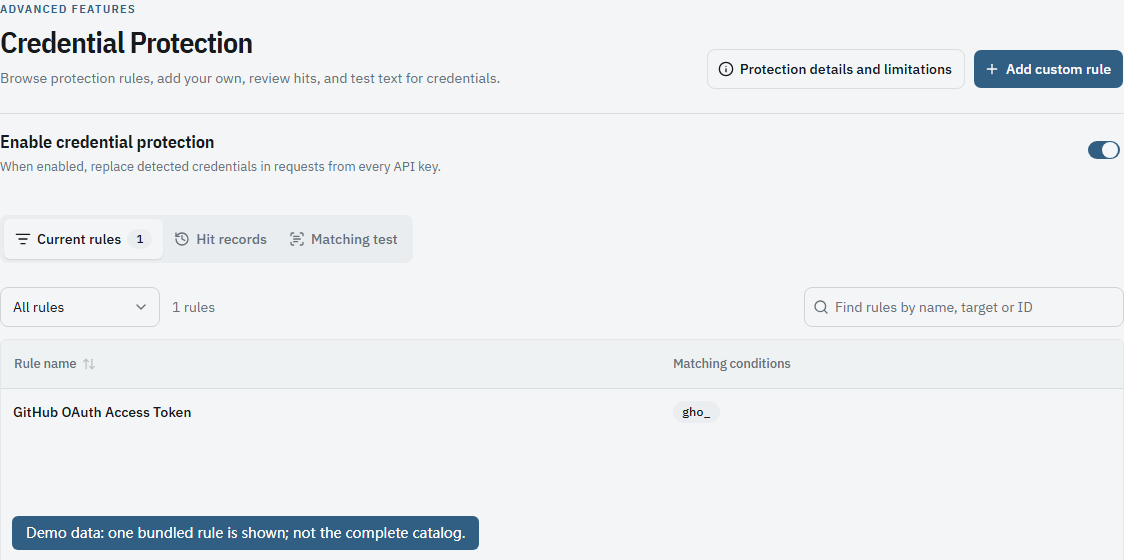
When enabled, the protection applies to valid Stravia API keys rather than offering a per-key bypass. Each key's mapping is separate.
Known protection problems and limits
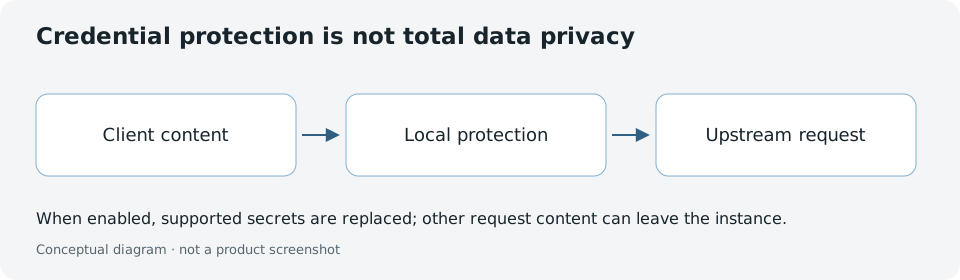
Rules can produce false positives or miss secrets. The feature does not scan images, audio, video, binary attachments, or opaque payloads. It does not encrypt the database, protect local files or backups from someone who can read them, or remove plaintext from every client-visible history. Tools may receive restored credentials; permissions and outbound controls still matter.
Turning the feature off stops new protection; it does not itself revoke an already issued API key or immediately erase an existing mapping.
Verify and troubleshoot
Use the tester to check a rule before relying on it, then confirm a supported text value is replaced in an eligible request. Never use real credentials in screenshots or public test examples. Treat observations and debug exports as sensitive even when this feature is enabled.
Next steps
Review Request history before exporting diagnostic data, or see API keys to manage key access separately.