
API keys
An API key authenticates a client inference request and may limit the allowed Model IDs. It is not a model-service credential or a Server administrator password.
Prerequisites
Create and enable the Stravia model the client needs before scoping a key. You need a management session to create, inspect, disable, or replace API Keys.
Scope access to models
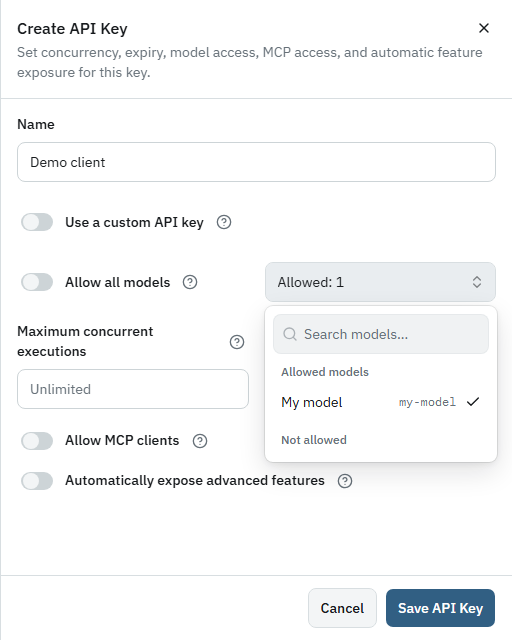
When creating a key, turn Allow all models off and use Select allowed models to keep only the models required by that client. Review the final selection before saving. Keys can also have an expiry and maximum-concurrency setting; neither setting changes the Model IDs the key is allowed to access.
Keep optional capabilities independent
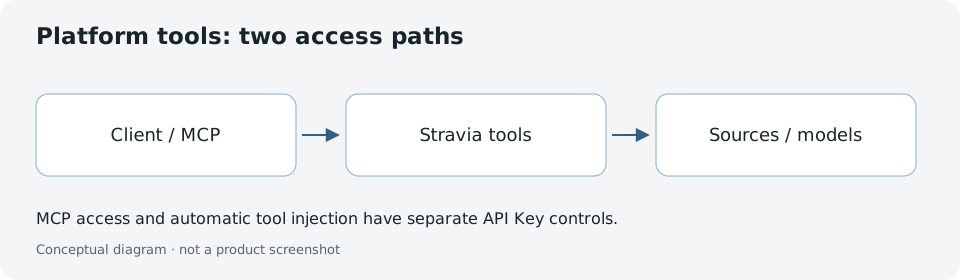
MCP access is a distinct key permission. Transparent capability injection is a separate setting, and its behavior also depends on the corresponding platform feature being enabled. A key being valid for ordinary model inference does not by itself imply access to MCP tools or automatically injected capabilities.
Troubleshoot key access or revoke a key
Use Connect clients to select an active key that allows the intended enabled Model ID. Treat the generated value as a secret; it is shown for copying during creation, so store it securely. If disclosed, disable or replace the key and update clients that used it.
Next steps
For MCP-specific setup, see MCP . To make a request with the key, follow First request .