
Connect clients
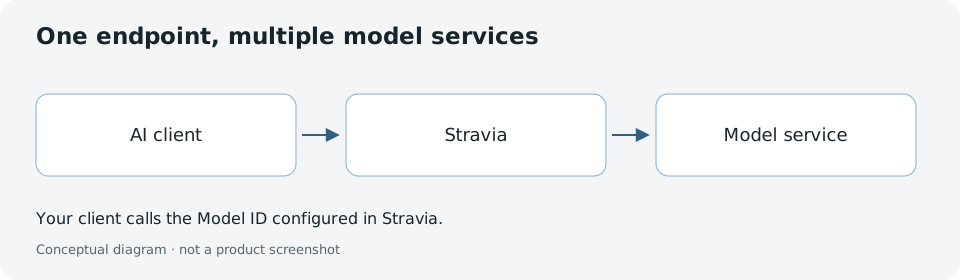
Use this guide to configure a coding client or SDK to request a Stravia Model ID. Review a generated configuration or request example, then make a real request to verify the connection.
Prerequisites
- Open the Stravia management interface and add a model service.
- Synchronize its model inventory and add the models your client needs.
- Create or select an enabled, unexpired Stravia API Key with access to those models.
Configure your client
- Open Connect clients.
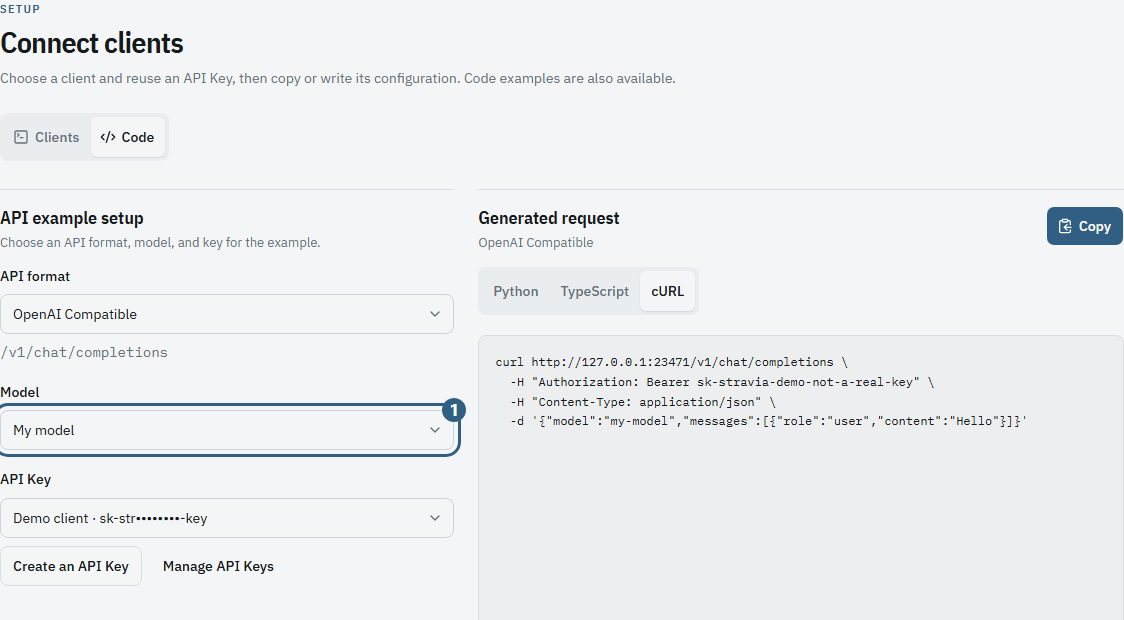
- In Clients, select a client and API Key to review its generated configuration. In Code, select an API format, Model ID, and API Key to review a generated request example. Stravia Desktop also supports writing configuration to supported client files.
Supported clients
- Claude Code : Map model roles and configure environment variables.
- Codex : Use open-responses protocol and model catalog.
- OpenCode : Configure provider and models.
- Other clients : OpenClaw, Hermes, TRAE, WorkBuddy, ZCode, DeepSeek Harness, Pi, OMP.
- SDK : Use OpenAI, Anthropic, or Gemini protocols directly from code.
Verify the connection
Copying or writing configuration confirms that operation only; it does not confirm a successful client connection. Use the configured client to send a request, then inspect Request history in Stravia.
Troubleshooting
If the client cannot connect, see Client connection and Unauthorized .
Next steps
Choose a client-specific guide or SDK example . To verify the full Server flow, follow First request and inspect Request history .